luma99 Mobile App

Download App luma99 – Online Gaming Made More Exciting, Right in the Palm of Your Hand

The luma99 app is purpose-built to make slots, Live Casino, fish shooting, and Sports Betting smoother, faster, and more secure wherever you are — at home, on the go, or during a quick break.

Android 5.0+
iOS 12.0+
Web Browser
luma99

Why Use the luma99 App?

More than just a different look from the web version — the luma99 app delivers performance and convenience you can truly feel.

Faster Game Loading

The luma99 native app is optimized directly for Android and iOS devices, delivering faster game load times compared to browser access.

Real-Time Push Notifications

Get the latest promotions, transaction confirmations, and reminders delivered straight to your lock screen. Never miss a bonus.

Biometric Login

Log in to your luma99 account with just your fingerprint or Face ID. Secure, convenient, and no need to type your password every time you open the app.

Data Saving Mode

The data-saving mode ensures you can still enjoy your favorite games even when your internet connection is unstable or your data plan is limited.

Auto Dark Mode

The app's display automatically adapts to your device's theme settings. Easy on the eyes, day or night.

End-to-End Data Encryption

All data transmitted from the luma99 app is protected by 256-bit SSL encryption. Your account information and transactions cannot be accessed by any third party.

How to Download and Install the luma99 App

The installation process is straightforward and can be completed in minutes.

ANDROID
1

Visit the Download Page

Open the Download on the luma99 site using your mobile browser. No need to search in third-party app stores.

2

Allow Unknown Sources

Go to Settings > Security > enable "Allow installation from unknown sources" or "Install unknown apps" so the APK file can be installed.

3

Download and Install the APK File

Tap the Download Android button on the Download page, wait for the APK file to finish downloading, then open the file and follow the installation instructions.

4

Login or Register

Open the installed luma99 app, then log in with an existing account or register a new account directly from the app.

iOS (iPhone & iPad)
1

Open Safari on your iPhone

Use Safari to access the Download luma99. The iOS installation process works best through Safari.

2

Select Download for iOS

Tap the Download iOS button, then follow the on-screen instructions to install the app profile on your iPhone or iPad.

3

Trust the Developer in Settings

Go to Settings > General > Device Management, select the luma99 certificate, and tap "Trust" to activate the app.

4

Enjoy All Features

The luma99 app is ready to go. Log in, claim your welcome bonus, and start playing directly from your iPhone or iPad.

luma99

Luma99 App Technical Specifications

Make sure your device meets the following requirements to run the luma99 app at its best.

Android
Specifications Description
Minimum OS VersionAndroid 5.0 (Lollipop)
RAMMinimum 2 GB
Storage100 MB free storage
Internet Connection3G / 4G / 5G / Wi-Fi
File FormatAPK (direct install)
Download Size±45 MB
iOS
Specifications Description
Minimum iOS VersionIOS 12.0
DeviceIPhone 6s and above / iPad
Storage120 MB free storage
Internet Connection3G / 4G / 5G / Wi-Fi
Installation MethodDeveloper profile (via Safari)
Download Size±52 MB

Why Is the luma99 App the Top Choice for Indonesian Players?

For many players in Indonesia, having reliable and convenient access to an online gaming platform is essential. Not every platform delivers a truly seamless mobile experience — slow loading, unresponsive layouts, and complicated transactions are common pain points. luma99 understands these needs and built an app designed from the ground up for mobile devices.

One of the most praised aspects of the luma99 app is how smoothly it runs even on mid-range smartphones. At under 55 MB, it won't fill up your phone's storage or slow down your device's everyday performance. This matters especially for users with limited storage capacity.

luma99

Intuitive Interface, Every Feature Within Reach

The luma99 app interface is intentionally kept simple without sacrificing functionality. The main menu is neatly organized — from the home screen showing featured games and active promos, to the account section where you can check your balance, transaction history, and withdrawal status in seconds.

Navigating between game categories feels completely natural. You can switch from Slot Games to Live Casino, or from Sports Betting to Fish Shooting Games without repeatedly exiting and re-entering menus. Everything is integrated into one seamless flow.

Local Payment Support Built Into the App

Deposits and withdrawals in the luma99 app support all popular payment methods in Indonesia. Local bank transfers including BCA, Mandiri, BNI, and BRI are available, along with digital wallets such as OVO, GoPay, DANA, and ShopeePay. All transactions are completed within the app — no need to switch to a browser or another app.

Deposit confirmations typically appear within minutes, and push notifications are sent to your phone for every account activity — whether it's an incoming deposit confirmation, an approved withdrawal, or a reminder about a promotion ending soon.

Integrated Live Chat

Luma99 support is accessible directly within the app via the live chat button, always visible in the corner of the screen. No need to leave your game or close the app just to reach customer support. The average response time is under 2 minutes — whether for general inquiries, transaction issues, or technical assistance with the app.

Privacy & Data Security. All information you enter in the luma99 app is encrypted and never shared with third parties. Learn more about how we protect your data at Privacy Policy us.

Play Your Favorite Games in the Best Graphic Quality

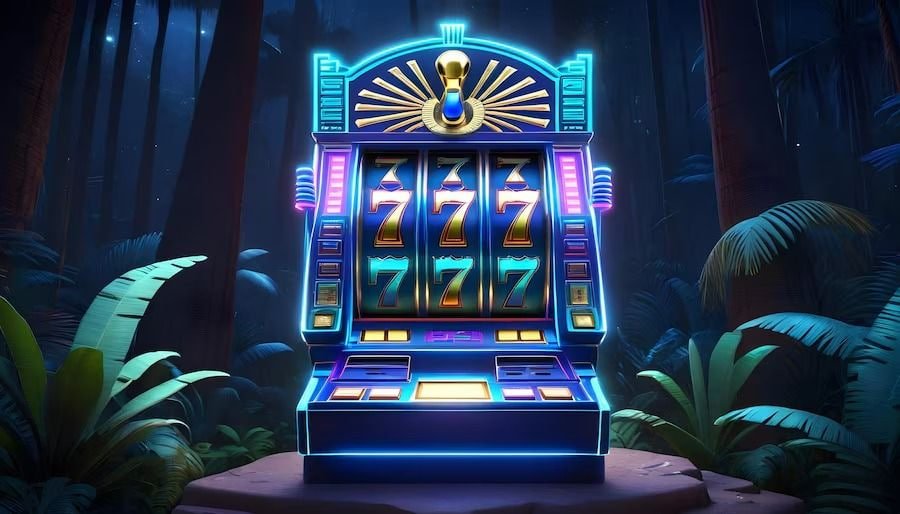
The luma99 app supports high-quality graphics rendering, keeping every game sharp and detailed. Slot win animations feel more vivid, and Live Casino dealer streams are displayed in up to HD quality — as long as your connection allows.

Fish shooting games — one of the most popular choices among Indonesian players — come to life with stunning 3D graphics on the luma99 app. The visual effects when taking down a big target are far more satisfying on a full smartphone screen than in a desktop browser.
luma99

Regular Updates for a Continuously Improving Experience

The luma99 development team regularly releases app updates bringing performance improvements, bug fixes, and new features. Every update is available via the Download page on the official luma99 site and can be installed easily without removing the existing app.

Update notifications are sent directly to registered users so you never miss the latest version, which typically brings significant improvements to your gaming experience. luma99 is committed to continuously developing the app based on real feedback from its users.

Responsible Gaming

The luma99 app includes a play-time reminder and a daily deposit limit option. These features reflect luma99's belief that the best entertainment is enjoyed responsibly and always within the player's control. Learn more on the Responsible Gaming.


Frequently Asked Questions About the luma99 App

Can't find your answer here? Contact our support team via 24/7 live chat.

Yes, the luma99 app is completely free to download and install, for both Android and iOS. There are no charges to download the app. Simply visit the Download page on the official luma99 site and follow the installation guide provided.

Google Play Store and Apple App Store policies do not allow online gambling apps in most regions. For this reason, luma99 distributes its app directly through the official website. Installation remains safe, as the Android APK and iOS profile files have undergone strict internal security checks.

Yes, the full game library available on the luma99 web version is also accessible via the mobile app. From Slot Games and Live Casino with real dealers, to Fish Shooting Games and Sports Betting — all available with performance optimized for smartphone screens.

luma99 app updates are done manually via the Download page on the official site. You'll receive a push notification when a new version is available. Simply download the latest file and install it over the existing app — your account data and settings will not be lost during the update.

Install the luma99 App and Feel the Difference

Lightweight, fast, secure, and feature-packed — the luma99 app is the best way to enjoy online entertainment anywhere. Download now and register in minutes.

Play responsibly within your financial means.

Bahasa Indonesia